Chapter 6 — Prisma Access Licensing & Management Models
Before designing a deployment, you must choose the right license edition and management model. This chapter covers the three Prisma Access editions, how licensing units are counted, available add-ons, and the SCM vs Panorama management decision.
License Editions
Prisma Access is sold in three editions, each targeting a different security scope:
| Edition | Also Called | What it Secures |
|---|---|---|
| Secure Web Gateway | SWG | Internet-bound traffic — URL filtering, threat prevention, SaaS visibility |
| ZTNA | Secure Private Apps | Private application access with zero-trust controls |
| Enterprise | Secure All Apps | Full SASE stack — internet, private apps, and advanced security services combined |
Your edition determines which security services are available. For the complete feature matrix, refer to the Prisma Access Licensing Guide datasheet.
Licensing Units
Prisma Access uses two different unit types depending on deployment type:
| What is Licensed | Unit Definition |
|---|---|
| Mobile Users | 1 unit = 1 unique user (tracked over the last 30 days) |
| Remote Networks | 1 unit = 1 Mbps |
- Mobile user licensing supports GlobalProtect, Explicit Proxy, or both connection methods under the same user count
- Remote Network bandwidth is pooled — a 500 Mbps allocation can be distributed across any number of sites up to that total
Verified 2026-07-09 — both unit definitions confirmed still current via direct fetch of Palo Alto's licensing documentation, quoted verbatim: "a unit is defined as one mobile user" (30-day unique-user tracking window confirmed) and "a unit is defined as 1 Mbps." One caveat worth carrying over: the source licensing page doesn't specify whether the Mbps unit assumes the Aggregate or Site-Based bandwidth model — Chapter 38 found Palo Alto's own documentation genuinely contradictory about which model is the default for new deployments. That ambiguity is about bandwidth allocation, not the licensing unit itself (1 unit = 1 Mbps holds regardless of which model applies) — see ch38 for the full picture rather than re-litigating it here.
Required Companion Licenses (SCM-managed)
A Prisma Access deployment managed by Strata Cloud Manager requires or optionally includes:
| Companion | Required? | Notes |
|---|---|---|
| Strata Cloud Manager Essentials | Required | Free — included with Prisma Access |
| Strata Cloud Manager Pro | Optional | Add-on — AI-driven insights, advanced automation |
| Strata Logging Service | Required | Log storage and analytics platform |
| Cloud Identity Engine | Optional | Free — centralised identity for policy |
Verified 2026-07-09 — all four rows confirmed still current via direct fetch: SCM Essentials is free/included, SCM Pro is a paid add-on, Strata Logging Service is required, and Cloud Identity Engine is free and doesn't require a license to get started. No changes needed.
Available Add-Ons
Premium capabilities purchasable on top of any edition:
- App Acceleration — improves application performance over the Prisma Access backbone
- ADEM (Autonomous Digital Experience Management) — end-to-end user experience monitoring
- DLP (Data Loss Prevention) — inline content inspection and sensitive data controls
- IoT Security — device visibility and policy for IoT/OT endpoints
- SaaS Security Inline — real-time CASB controls for SaaS traffic
- ZTNA Connector — outbound-only private application connector (alternative to Service Connections). Reconciled 2026-07-09 — no longer purely a paid add-on: Chapter 4 confirmed Prisma Access 6.0 licensing includes 10 free ZTNA Connector licenses with the base license, so ZTNA Connector is enabled by default with a limited free allocation; the add-on unlocks a higher/unlimited count rather than being required just to use the feature at all — see ch04 rather than re-deriving this here.
- RBI (Remote Browser Isolation) — added 2026-07-09, previously missing from this list. Confirmed via direct fetch of Palo Alto's licensing documentation: RBI is listed under Prisma Access Add-On Licenses and is not bundled with any standard edition — it requires a separate paid license, despite being natively/architecturally integrated into Prisma Access rather than a separate product (see Chapter 2). Native integration and add-on licensing are two different axes here — don't conflate them.
Management Models
Prisma Access can be managed through two interfaces. The choice is consequential — migration from Panorama to SCM is supported, but the reverse is not possible.
flowchart TD
    Q1{"New deployment<br/>or existing?"}
    Q2{"Already using<br/>Panorama for NGFWs?"}
    Q3{"Need multi-tenancy<br/>after April 2026?"}
    SCM["✅ Strata Cloud Manager<br/>(Recommended)"]
    PAN["Panorama<br/>(Cloud Services Plugin)<br/>+ SCM for visibility"]

    Q1 -->|New| Q3
    Q1 -->|Existing Panorama| Q2
    Q2 -->|Yes, unified policy needed| PAN
    Q2 -->|No| SCM
    Q3 -->|Yes| SCM
    Q3 -->|No| SCM
Strata Cloud Manager (SCM) — Recommended
- Task-driven onboarding workflows — branches and mobile users configurable in minutes
- Predefined internet access and decryption policies based on best practices
- AI-driven recommendations and Policy Optimizer
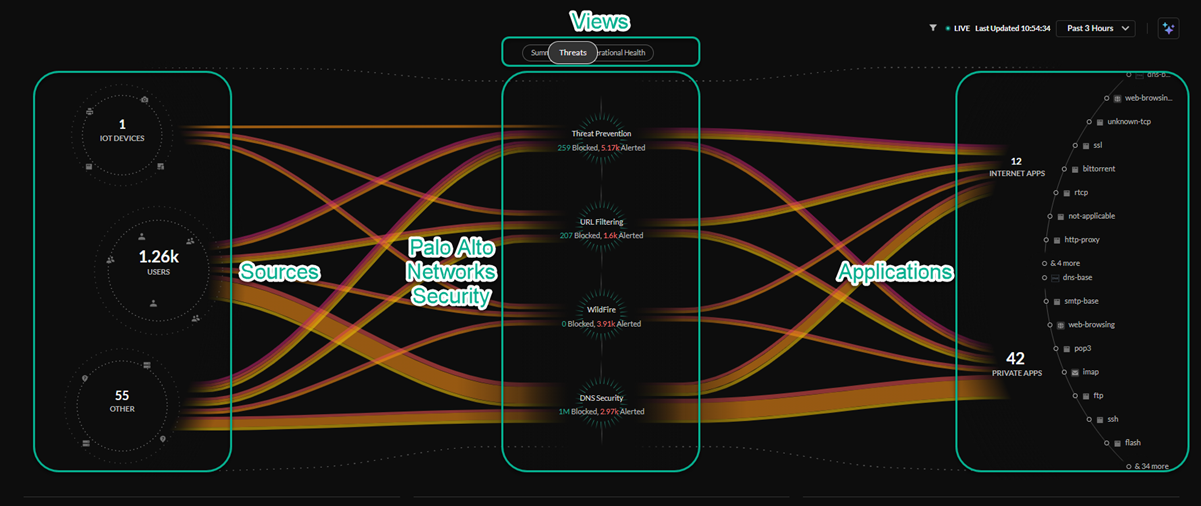
- Unified visibility and monitoring (used by all deployments, including Panorama-managed ones)
- Multi-tenancy: new multi-tenant deployments after April 15, 2026 must use SCM (Strata Multitenant Cloud Manager)
Panorama — Fully Supported, With One New-Deployment Restriction
Refined 2026-07-09 — this header previously read "Legacy/Supported," the same overstated framing corrected in Chapter 3; applying the same fix here rather than re-deriving it. Panorama remains fully supported for existing deployments and for new single-tenant deployments — there is no forced migration and no reduced support. The actual restriction, effective April 15, 2026, is narrower: Palo Alto no longer offers Panorama-based Prisma Access multi-tenancy for new (greenfield) deployments specifically — this chapter's own Feature Differences table and Key Takeaways were already precise about that multi-tenancy-specific scope; only this header's "Legacy" wording overstated it. See Chapter 3 for the full explanation.
- Managed via the Cloud Services Plugin on an existing Panorama server
- Best suited for organisations already managing NGFW fleets in Panorama who need unified security policy across hardware firewalls and Prisma Access
- Requires constant internet connectivity — loss of connectivity causes service failure
- Even Panorama-managed deployments still use SCM for visibility and monitoring features
- One-way migration to SCM is available via an in-product workflow if you later want to switch
Feature Differences
| Capability | SCM | Panorama |
|---|---|---|
| Rapid task-driven onboarding | Yes | No |
| Templates & Template Stacks | No¹ | Yes |
| Multi-VSYS support | No¹ | Yes |
| AI-driven best practice recommendations | Yes | No |
| Reusable configuration snippets | Yes | No |
| Visibility & monitoring (Prisma Access Insights) | Yes | Yes (uses SCM) |
| Multi-tenancy (new deployments, post-Apr 2026) | Yes | No |
¹ Refined 2026-07-09 — a flat "No" here could read as "SCM has no way to do this at all," which isn't quite right. SCM doesn't have a direct equivalent to Panorama's Templates/Template Stacks or Multi-VSYS as named constructs, but it achieves comparable outcomes through a genuinely different model — Folders (which unify what Templates and Device Groups did separately in Panorama) and Snippets (attachment-order precedence, the closest analog to a Template) — see Chapter 32 and Chapter 33 for the full mapping. This isn't full feature parity under a different name; it's a different architecture for the same underlying goals, and ch32/33 didn't establish 1:1 equivalence for every Panorama-specific mechanic.
Key Takeaways
- Three editions: SWG (internet only), ZTNA (private apps), Enterprise (full stack)
- Mobile users licensed per unique user (30-day window); Remote Networks licensed per Mbps — both confirmed still current 2026-07-09
- SCM is the recommended management path for all new deployments — especially for multi-tenancy after April 2026
- Refined 2026-07-09 — Panorama remains fully supported for existing deployments and new single-tenant deployments; the specific restriction (Apr 15, 2026) is on new multi-tenant Panorama deployments only, not a blanket "legacy" status — see Chapter 3
- SCM's Templates/Multi-VSYS "No" rows reflect a genuinely different Folders/Snippets architecture (ch32/33), not an absence of capability
- ZTNA Connector now ships with 10 free licenses in the base license (Prisma Access 6.0, per ch04) — the add-on unlocks higher counts, it isn't required to enable the feature at all
- RBI is a separate paid add-on license (added to Available Add-Ons, previously missing) despite being natively integrated into Prisma Access architecturally — licensing and integration are separate questions
- Migration Panorama → SCM is possible; the reverse is not — choose carefully
Previous: Chapter 5 — Prisma Access for Users & SaaS Design Benefits · Next: Chapter 7 — Service Infrastructure & Subnet Planning