Lifting Diary — Scaffold Speed with Claude Code
A production-quality full-stack workout tracker, built entirely with Claude Code — from database schema to deployed Vercel app — in approximately 22 prompt sessions. The project is as much about the tooling as the app: it shows where AI-assisted development accelerates experienced developers, and where it still requires architectural knowledge to function at all.
The central finding: Claude Code accelerates development significantly, but only when paired with explicit architectural constraints. Give it clear rules — what patterns to use, what to avoid, and why — and it will follow them consistently across 22 sessions. The constraint is the input.
At a Glance
Next.js 16 · React 19 · TypeScript · Clerk · Neon + Drizzle ORM · shadcn/ui · Vercel
27 commits · 21 days (28 Jan – 18 Feb 2026) · ~22 prompt sessions · 6 architectural constraint docs · Full handover document also generated by Claude
What Was Built
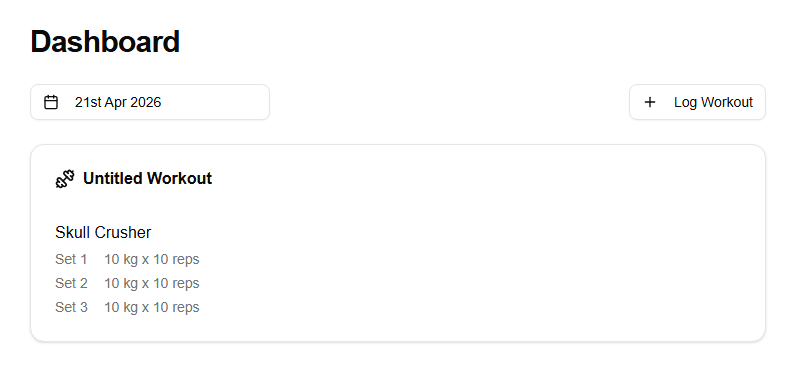
Lifting Diary is a personal workout tracker — authenticated, full-stack, with a relational database, a typed ORM, server-side rendering, and deployment on Vercel. The application spans authentication, a date-based dashboard, an exercise catalog, set logging, and full CRUD for workouts and exercises.
How Claude Code Was Used
Claude Code operated in three modes throughout the build: default for exploration, plan for design decisions, and edit for implementation. A custom slash command handled branch workflow. The context window was deliberately cleared at branch boundaries to prevent stale assumptions carrying into new features.
Architecture as the Input
The most important work wasn't code — it was the /docs folder: six Markdown files written before the features they governed. Each file was a constraint for Claude, establishing what was allowed and what was not. Without these constraints, Claude would make inconsistent choices across sessions. With them, every generated file followed the same patterns.
Prompt Log
An annotated walkthrough of all 12 build phases — from initial environment setup to the AI-generated handover document — with the prompts that drove each phase and commentary on why each approach was chosen.
The four sections examine this project from different angles — the finished app, the workflow that built it, the architecture that held it together, and the prompts that show it in action. The thread connecting all four: architecture knowledge is not something Claude can replace. It is the input that makes AI-assisted development reliable.