Chapter 15 — Tags & Semantic Versioning
Branches move. Every new commit on a branch advances its pointer forward, leaving earlier commits reachable only through history. Tags are different: a tag is a fixed label that points permanently to a specific commit and never moves. This makes tags the natural tool for marking release points — version numbers, milestones, and any commit that needs to be reliably identified long after the branch has moved on.
What a Tag Is
A tag is a named reference stored in .git/refs/tags/. Unlike a branch pointer, a tag is never updated automatically. Once created, it always points to the same commit.
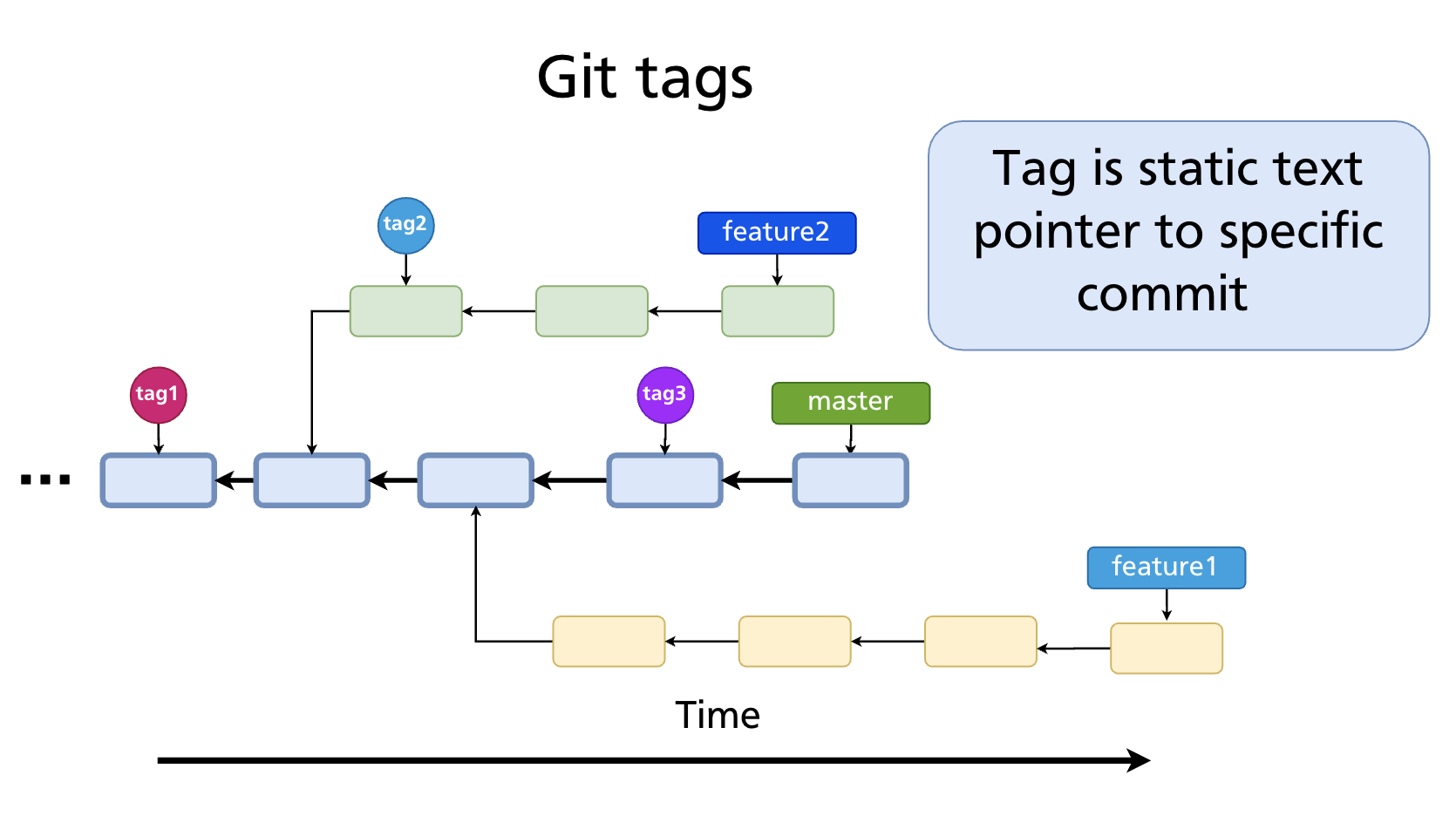
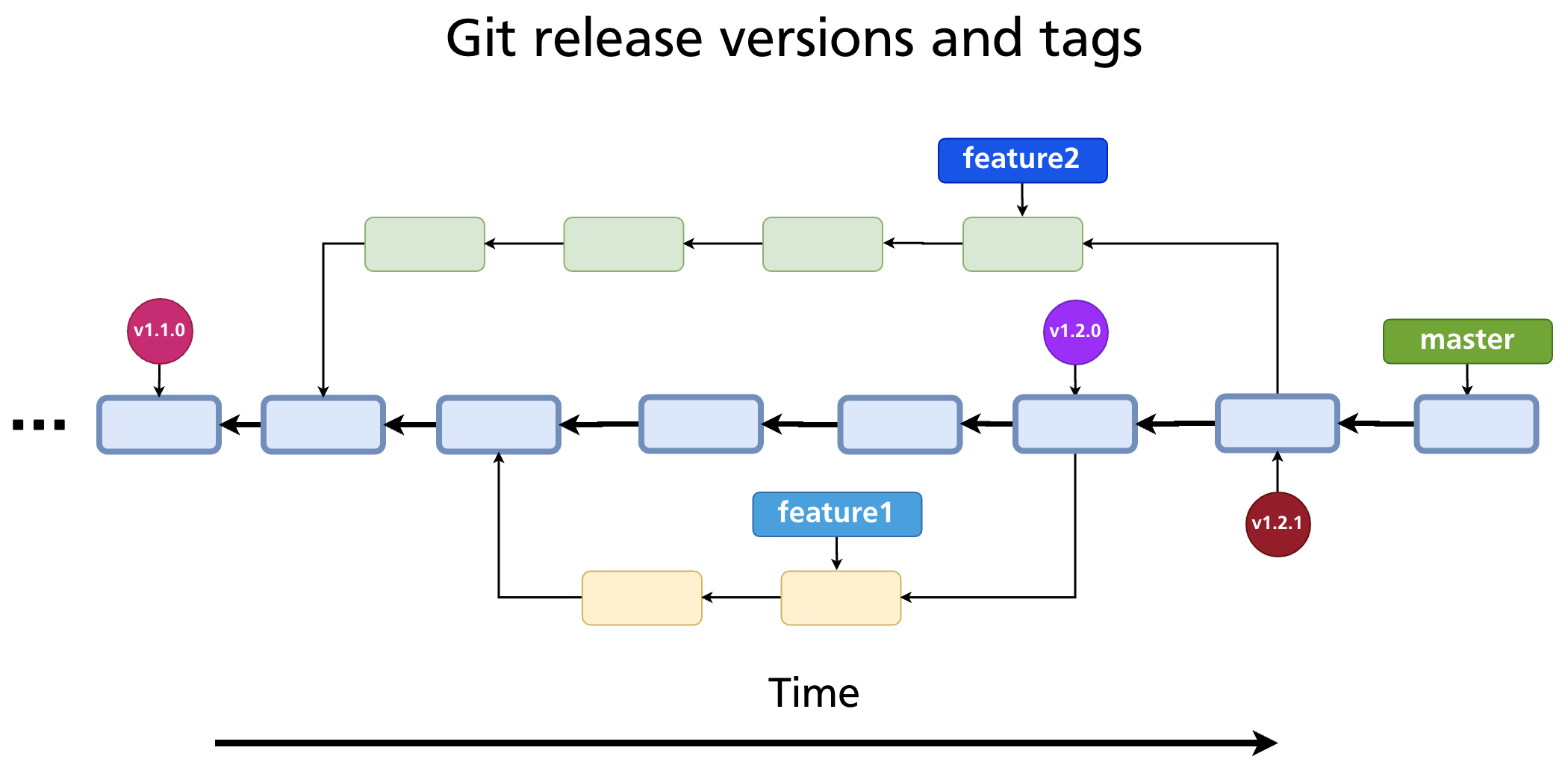
Tags are most commonly used to mark release versions: v1.0.0, v2.3.1, v3.0.0-beta. The tagged commit becomes the authoritative snapshot for that release — reproducible, referenceable, and permanent.
Tags in a Release Workflow
Tags fit naturally into CI/CD pipelines, where different branches serve different purposes:
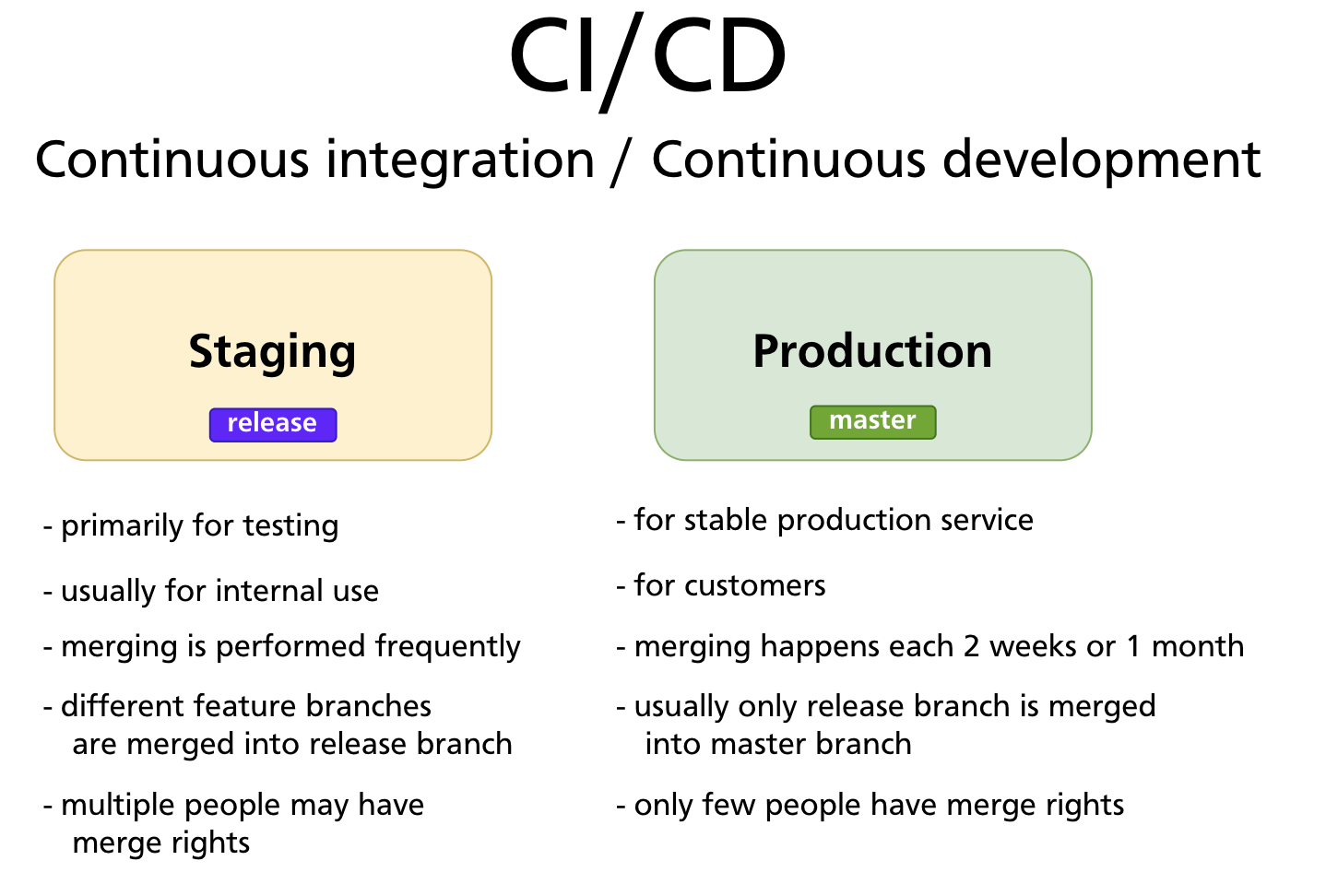
- The staging / release branch receives frequent merges from feature branches and is used primarily for internal testing.
- The production / master branch receives stable merges on a cadence (e.g. every two weeks) and is the version customers use.
When a commit on the production branch is approved for release, it is tagged. That tag becomes the identifier used by CI/CD systems to build, deploy, and distribute the release artefact.
Semantic Versioning
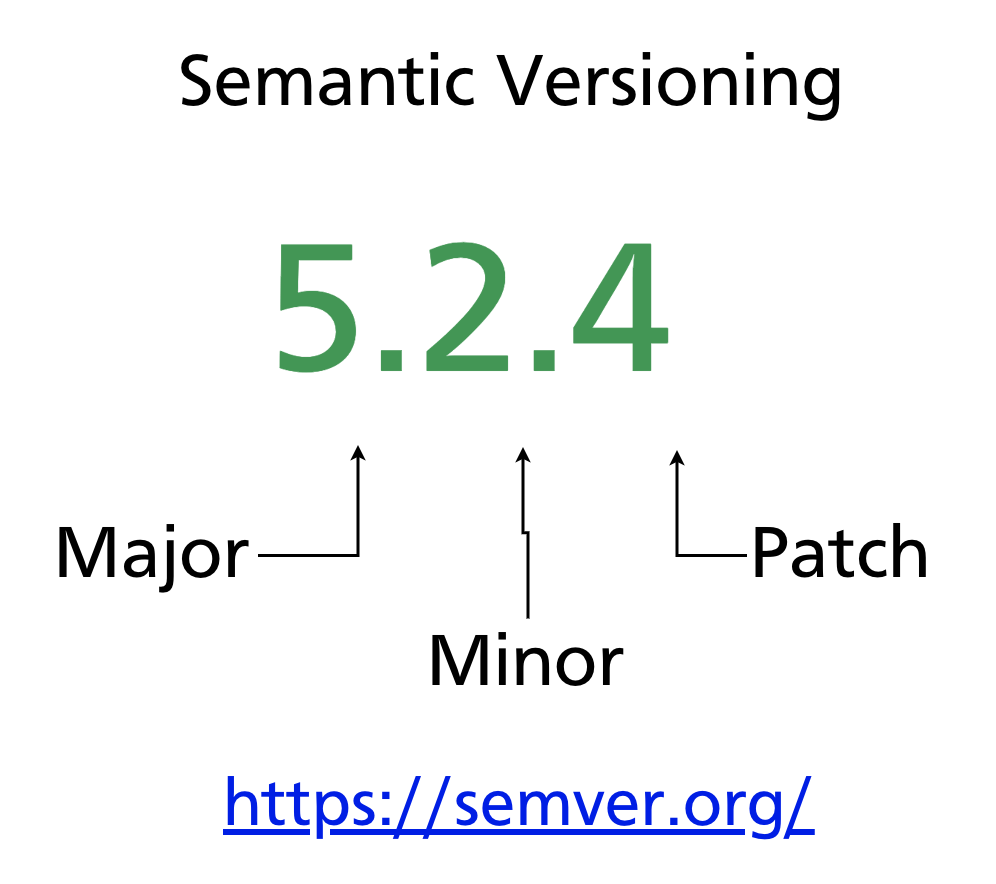
Most software projects version their releases using Semantic Versioning (semver). A semver version number has three components:
For example: 5.2.4
| Component | When to increment | Example |
|---|---|---|
| MAJOR | Breaking change — existing users must update their code | 4.0.0 → 5.0.0 |
| MINOR | New feature, backwards-compatible | 5.1.0 → 5.2.0 |
| PATCH | Bug fix, backwards-compatible | 5.2.3 → 5.2.4 |
Additional labels can be appended for pre-release versions:
And build metadata after a +:
Further reading: semver.org — the full semver 2.0.0 specification.
Two Types of Tags
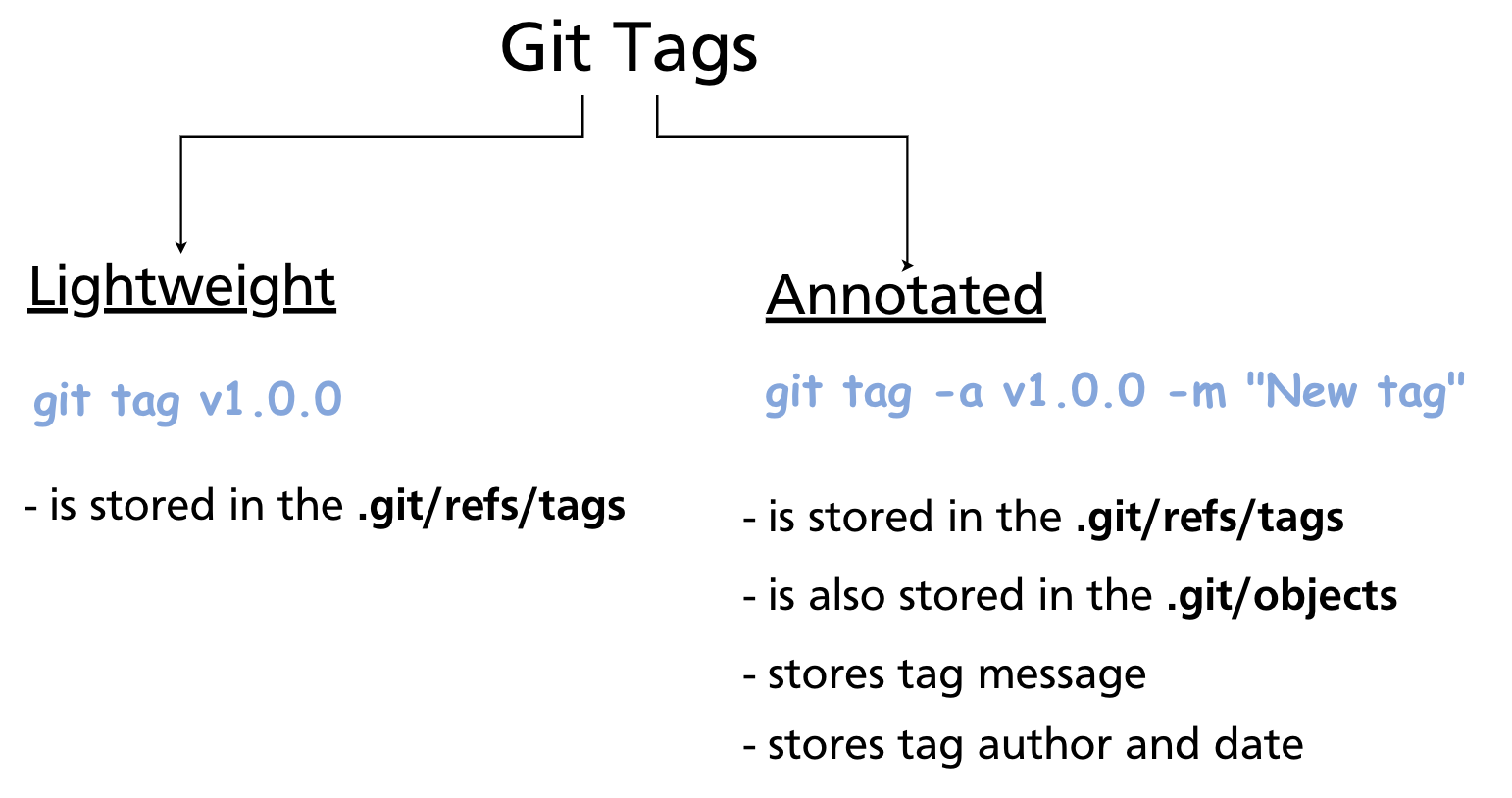
Git has two tag types with different storage structures and use cases:
Lightweight tags
A lightweight tag is nothing more than a pointer to a commit SHA — identical in structure to a branch, but it never moves. It is stored only in .git/refs/tags/.
Lightweight tags carry no metadata beyond the commit they point to. They are quick to create and useful for local or temporary markers.
Annotated tags
An annotated tag is a full Git object stored in .git/objects/ (as well as .git/refs/tags/). It records:
- Tag message
- Tagger name and email
- Tagging date
- (Optionally) a GPG signature
Annotated tags are recommended for public releases. They carry the context of who tagged and why, they can be signed for authenticity, and they are the ones git describe and many CI/CD tools prefer.
Tag Commands
Create a tag
# Lightweight — tag the current commit (HEAD)
git tag v1.0.0

# Annotated — tag HEAD with a message
git tag -a v1.0.0 -m "First stable release"

# Tag a specific past commit
git tag -a v0.9.0 a3f8c21 -m "Beta release"
List tags
git tag                  # list all tags alphabetically
git tag -l "v1.*"        # list tags matching a pattern
git tag -n               # list tags with their messages (one line each)
Inspect a tag
For a lightweight tag, git show shows only the commit. For an annotated tag, it shows the tag object (message, author, date) followed by the commit.
Delete a tag
Rename a tag
Git has no rename command for tags. The standard approach is to create a new tag and delete the old one:
git tag v1.0.1 v1.0.0    # create v1.0.1 pointing to the same commit as v1.0.0
git tag -d v1.0.0         # delete the old tag
Pushing Tags to a Remote
By default, git push does not push tags. Tags must be pushed explicitly.
# Push a single tag
git push origin v1.0.0

# Push all tags at once
git push origin --tags

# Push only annotated tags (skip lightweight)
git push origin --follow-tags
Tip:
--follow-tagsis the safest option for release workflows — it pushes only annotated tags that are reachable from pushed commits, avoiding accidental publication of local/temporary lightweight tags.
Deleting a remote tag
Checking Out a Tag
You can check out any tag to inspect the code at that release point:
This puts Git in detached HEAD state — HEAD points directly to the tagged commit rather than to a branch. Any new commits you make will not be on any branch. If you want to work from a tagged release (e.g. to apply a hotfix), create a branch first:
Detached HEAD is covered in depth in Chapter 16.
git describe
git describe generates a human-readable name for any commit based on the nearest tag:
The format is <tag>-<commits-since-tag>-g<short-sha>. If HEAD is exactly on a tag, it outputs just the tag name. This is commonly used in build scripts to embed a version string in build artefacts.
git describe --tags         # include lightweight tags
git describe --always       # fall back to short SHA if no tag is reachable
Summary
- A tag is a static pointer to a commit — it never moves, unlike a branch.
- Lightweight tags are simple SHA references with no extra metadata.
- Annotated tags are full Git objects with a message, author, date, and optional GPG signature — preferred for public releases.
- Semver (
MAJOR.MINOR.PATCH) is the standard versioning scheme: increment MAJOR for breaking changes, MINOR for backwards-compatible features, PATCH for bug fixes. - Tags must be pushed explicitly:
git push origin v1.0.0orgit push origin --follow-tags. git checkout <tag>enters detached HEAD state; create a branch first if you need to commit from that point.git describegenerates a version string from the nearest reachable tag.
Previous: Chapter 14 — Interactive Rebase · Next: Chapter 16 — Detached HEAD